
Why clear classroom policies matter
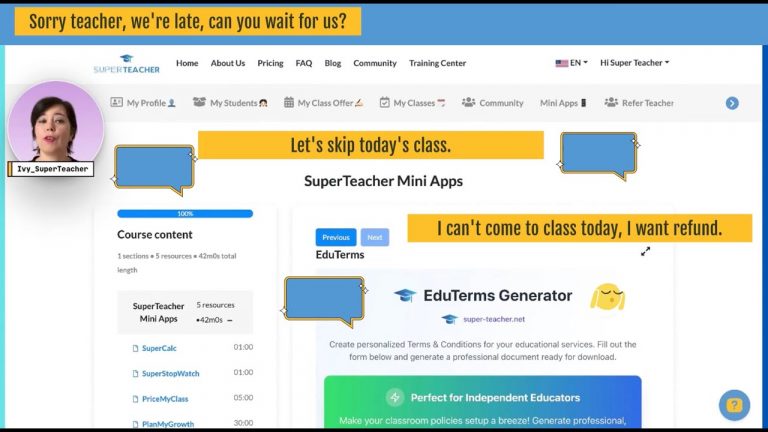
Classroom policies are not glamorous, but they are business saving. Clear terms tell students what to expect and protect your time, income, and reputation. When policies are consistent and professional, they do more than prevent problems: they build trust, set boundaries, and make you look like a confident, established educator.
Meet EduTerms: a 60-second policy builder
EduTerms is a ready-to-use policy generator that creates polished classroom terms in about a minute. It gives you a structured template you can personalize—no legalese, no formatting headaches. Use it to define late arrival rules, cancellation windows, refund procedures, class credit expirations, camera or headphone requirements, and any in-person specifics you need.
Step-by-step: Create and publish professional terms
- Open your dashboard and find the mini app:
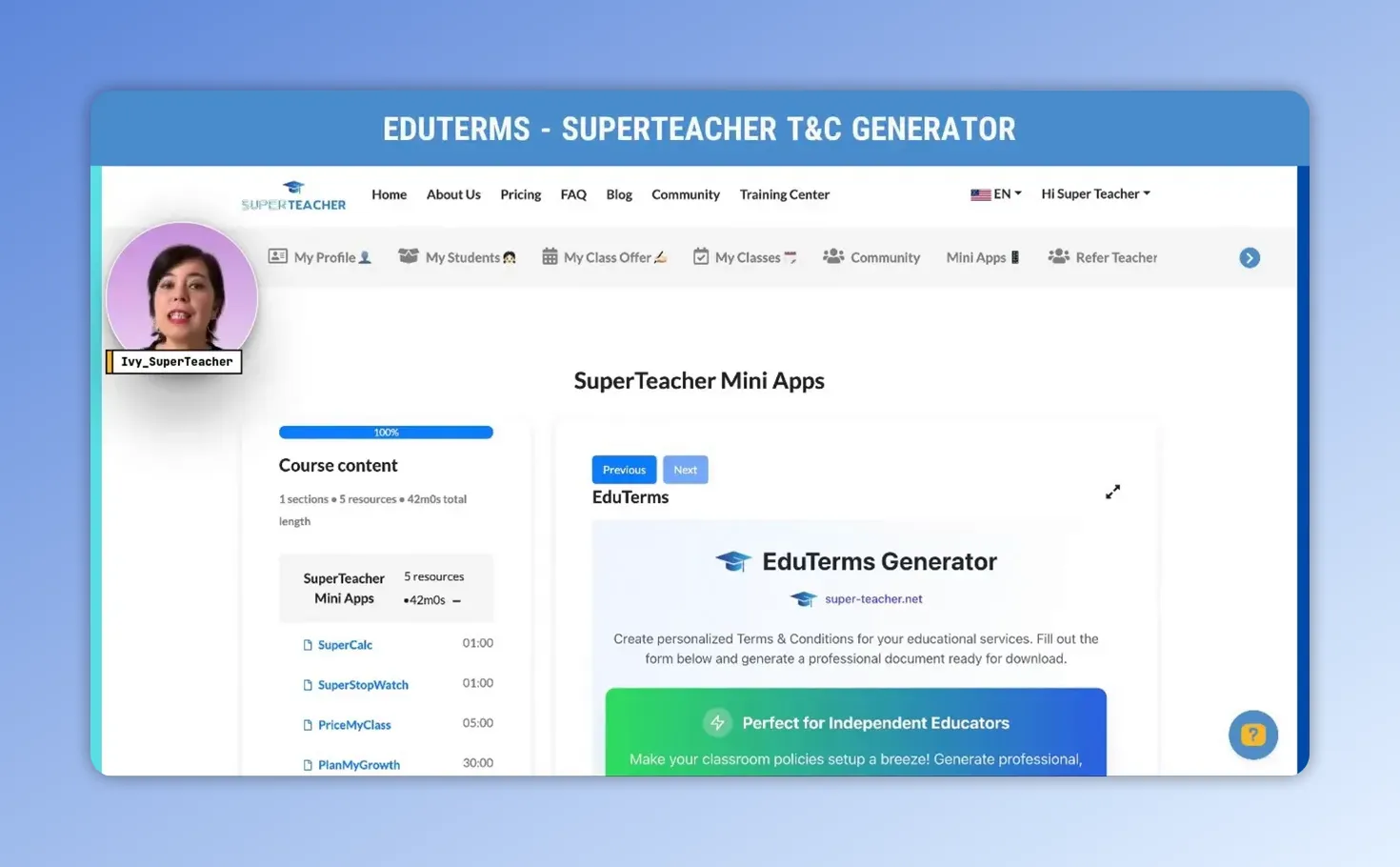
Log into your SuperTeacher dashboard and go to the mini app section. EduTerms sits alongside other helpful mini apps so you can get started quickly.
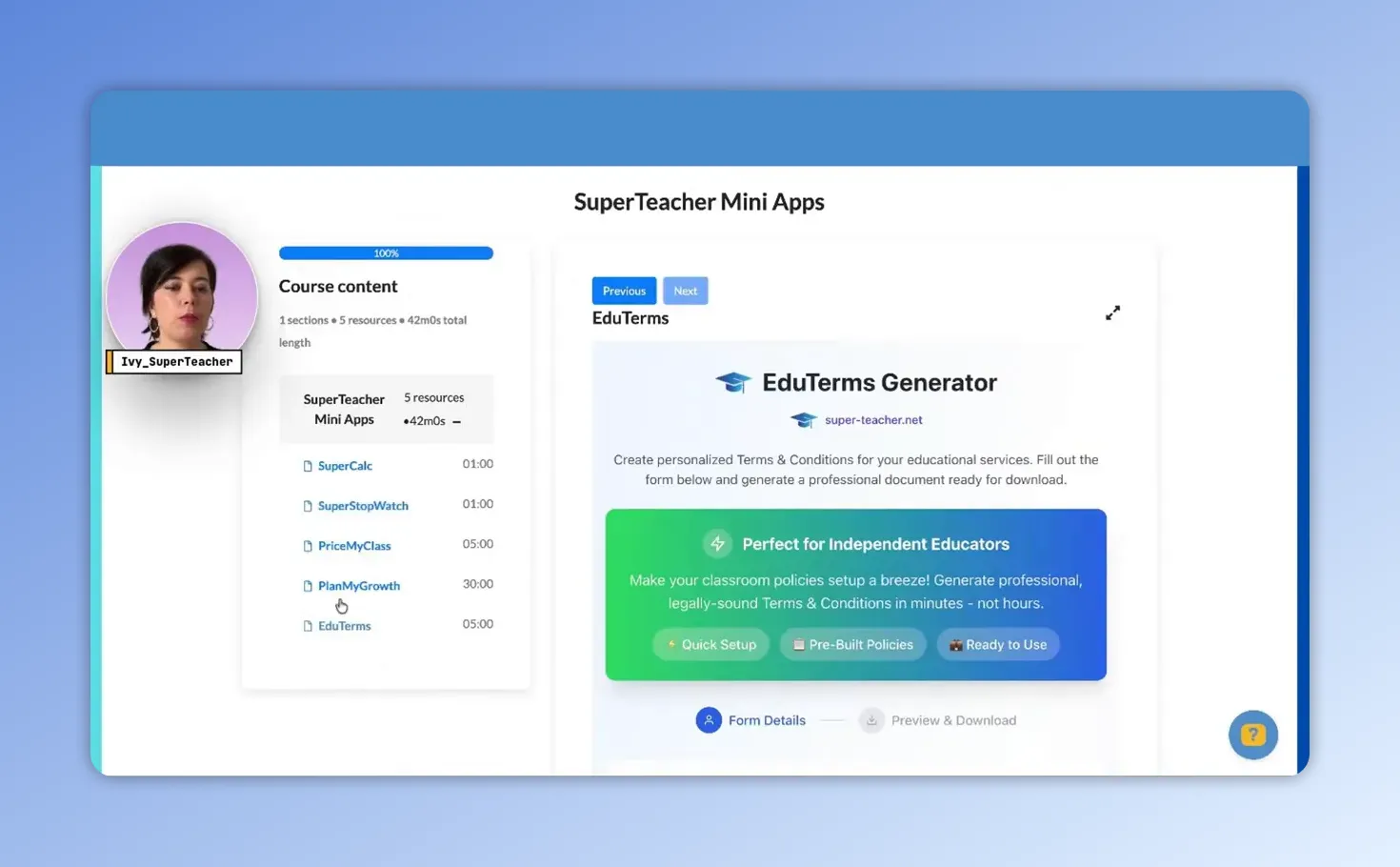
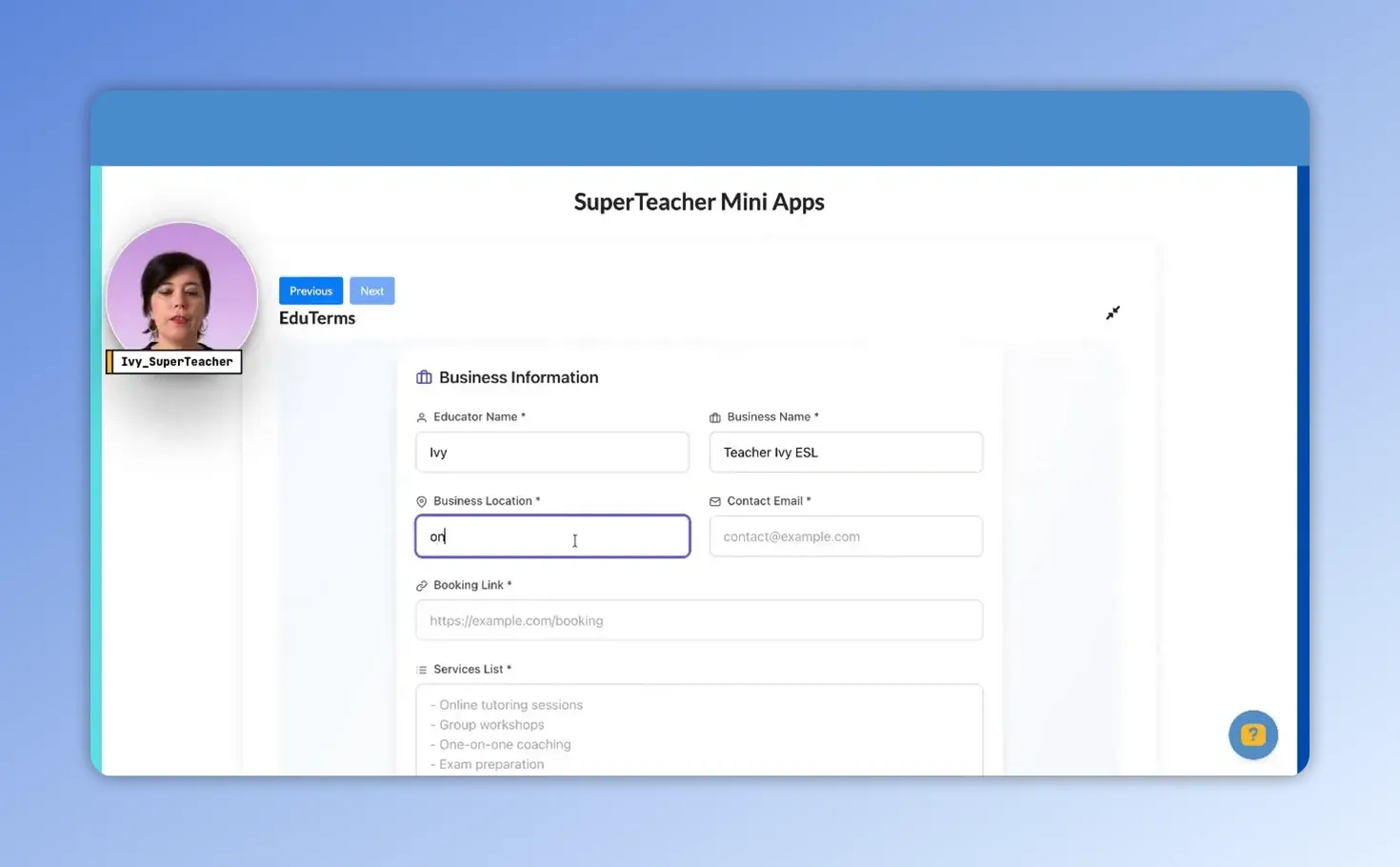
- Enter basic business details:
Add your educator name, business name, and location. If you teach online, simply put “online.” All this content can be edited later, so keep it simple to start.
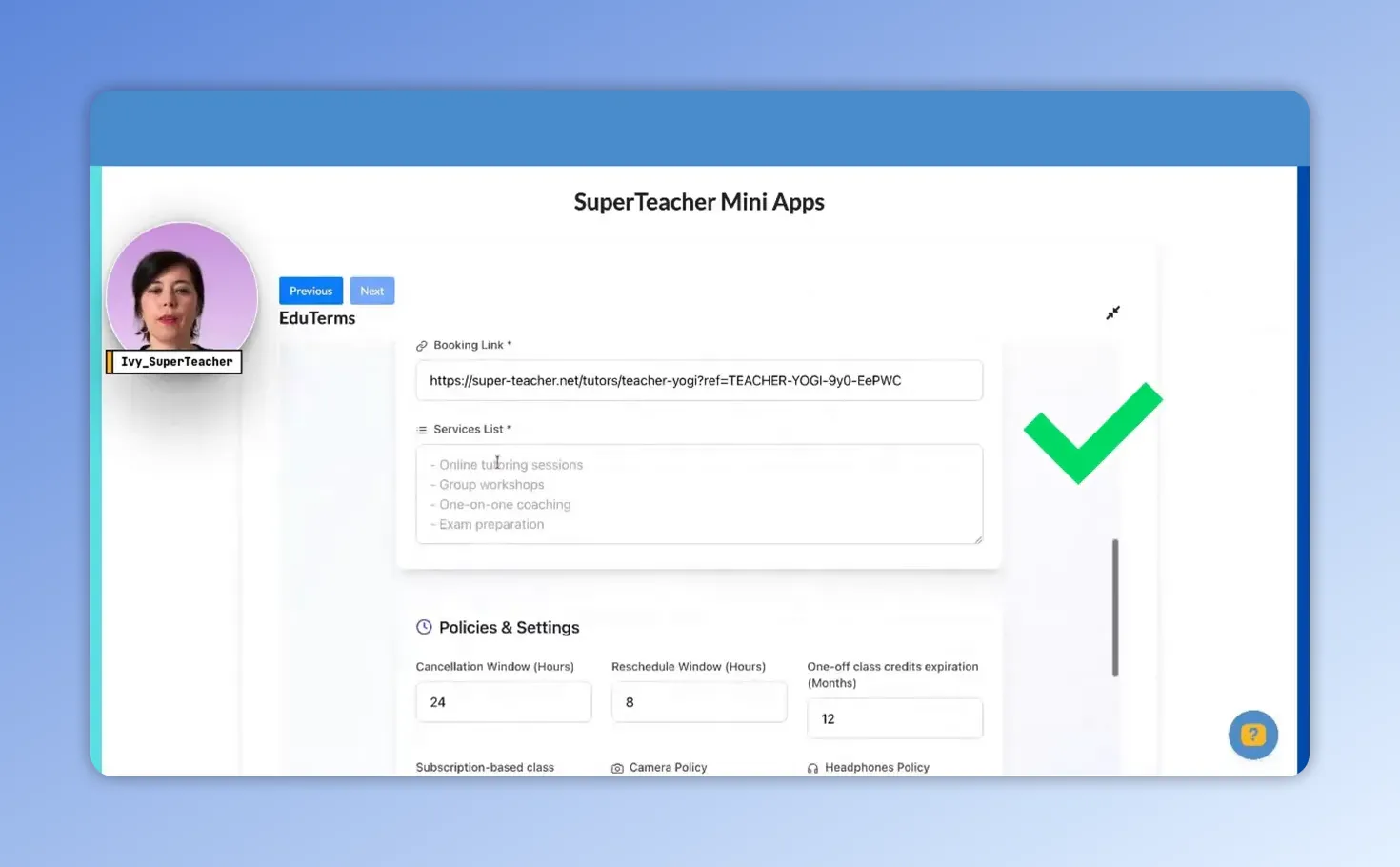
- Paste your booking link:
Grab your teacher page link from the profile area (view or share my teacher page) and paste it into the booking link field so terms can be tied to your scheduling and payment flow.
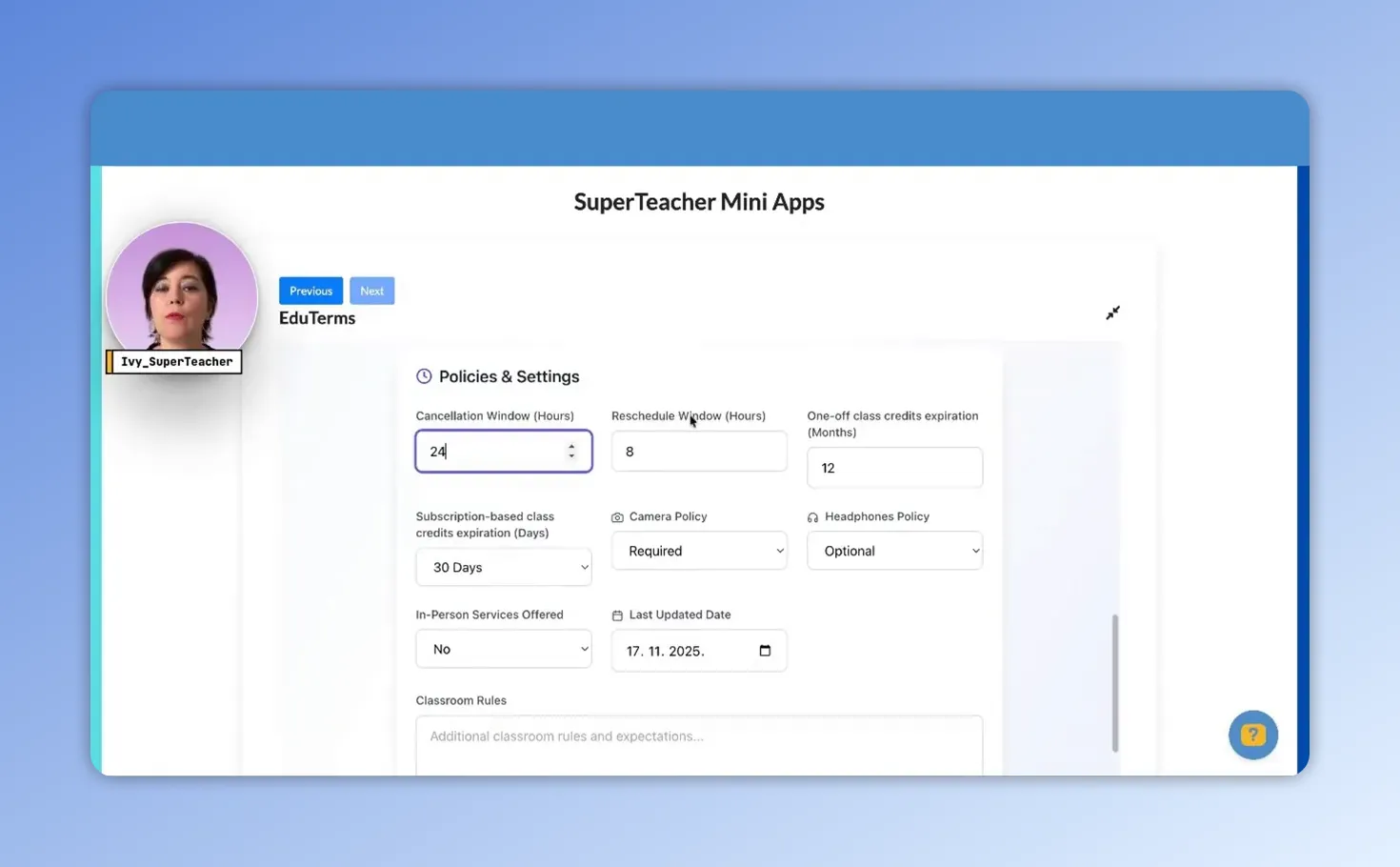
- Choose services and review policy settings:
List the services you offer and head to policies and settings. SuperTeacher applies recommended defaults that work well for independent educators, including:
- Cancellation window and reschedule window
- Class credits expiration (in months)
- Subscription-based classes expiration
- Camera and headphones policies
- Options for in-person service specifics
You can adjust all of these values to match your business needs.
- Generate your first draft:
Press the generate terms and conditions button to produce a formatted template you can edit. This is a great way to see what standard policies look like before customizing.
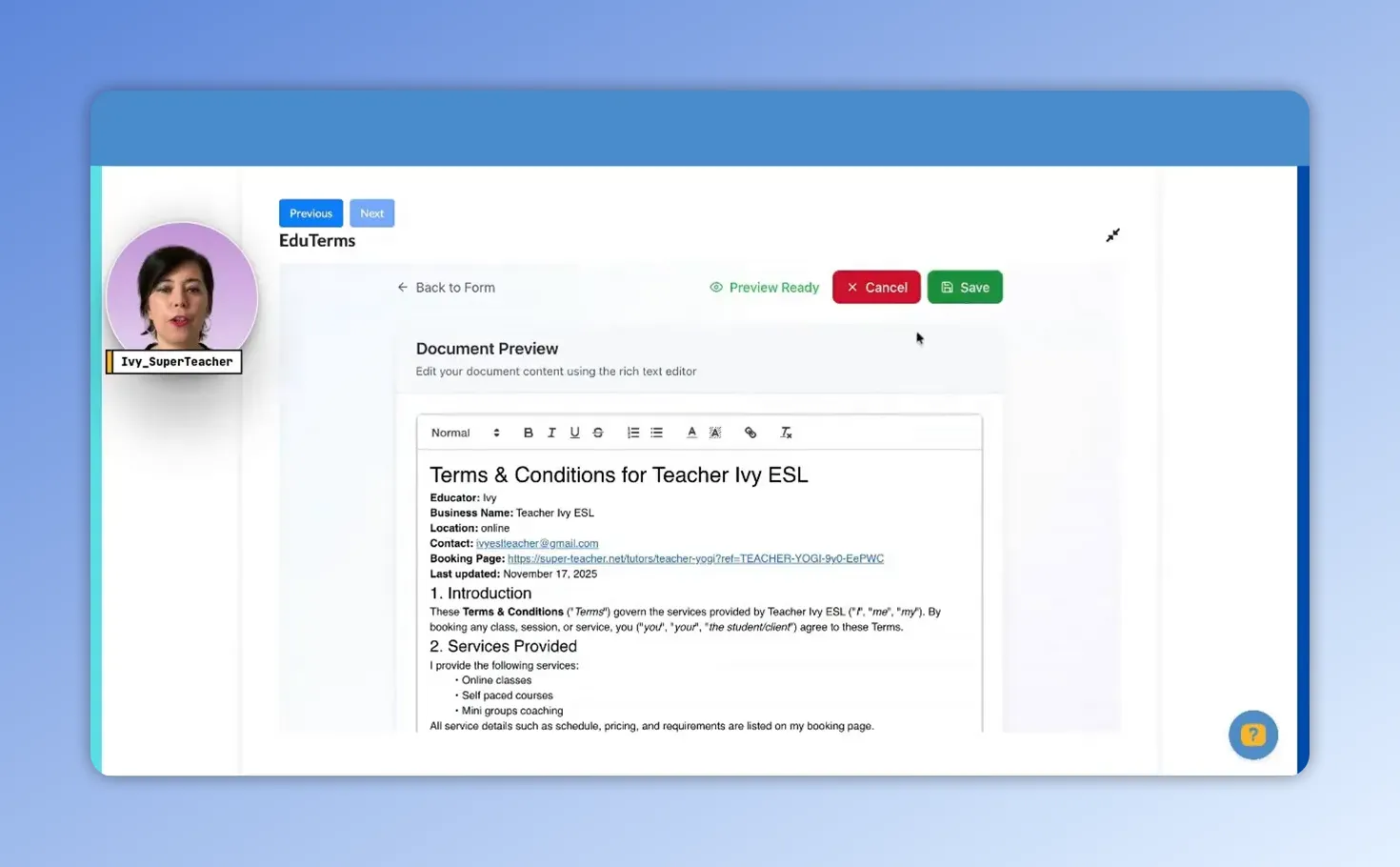
- Edit, save, and download:
If you want to tweak any wording, click edit, make changes, and hit save. Download the final version as PDF or DOC to keep a copy for your records.
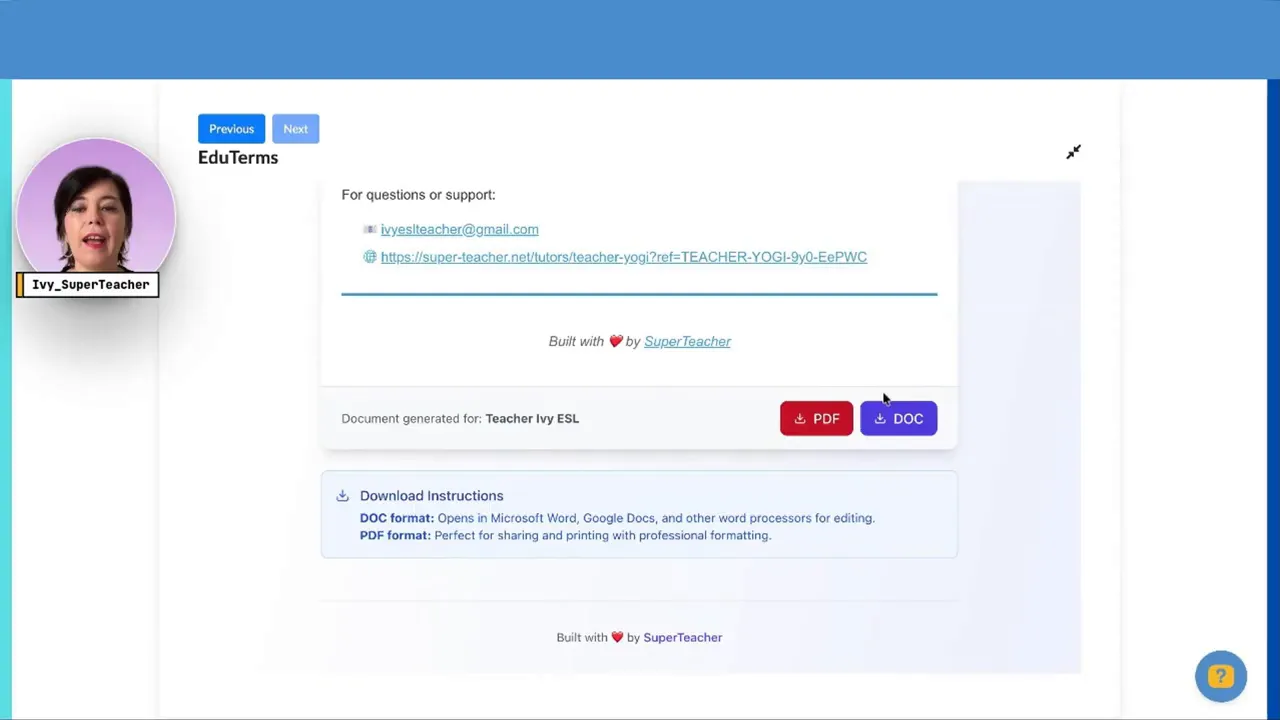
- Publish on your teacher page:
Copy and paste the generated text into the new “terms and conditions” box under edit profile on your teacher dashboard, then submit. The terms appear on your public teacher page where students can read them before booking.
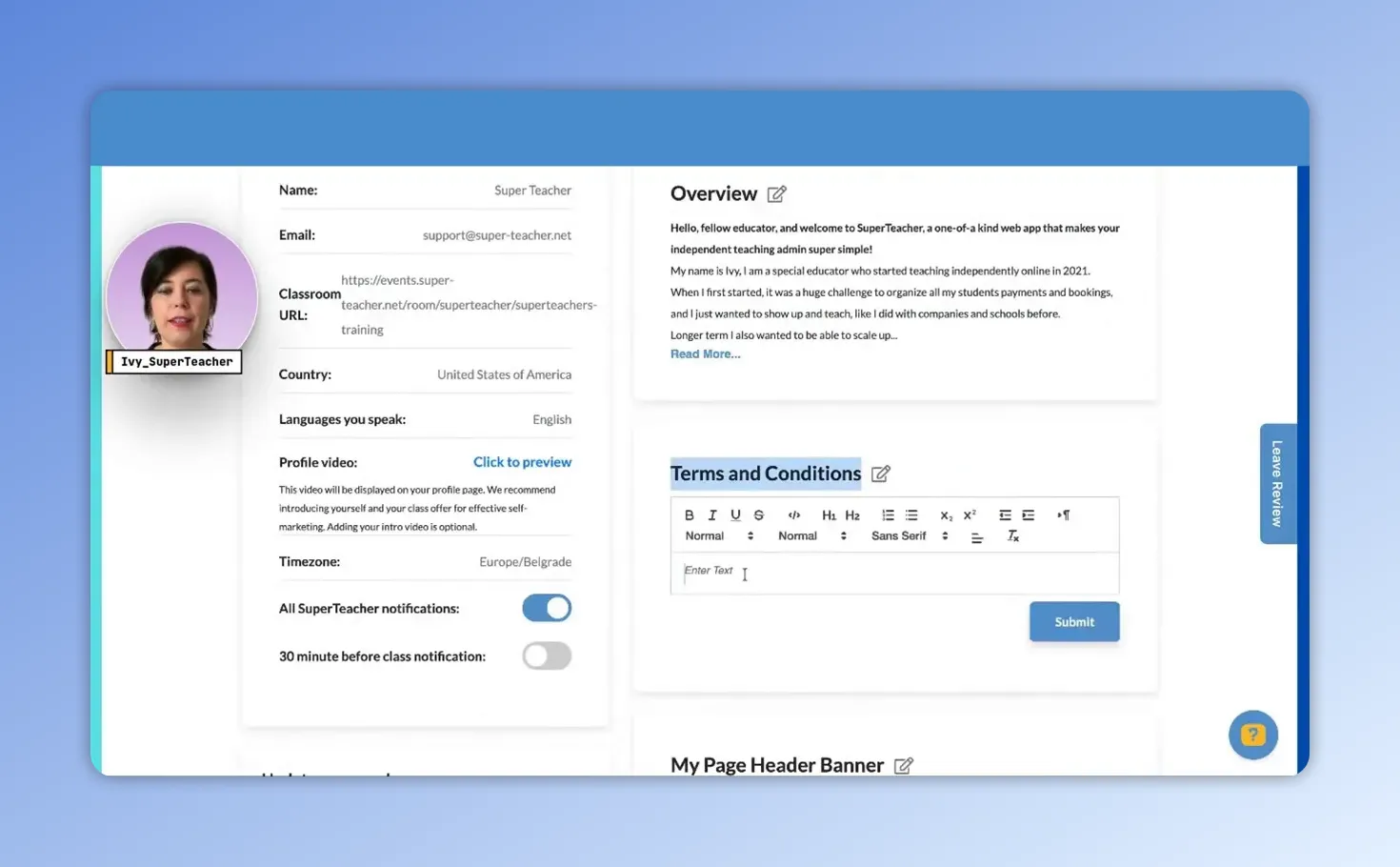
- Preview and verify the student experience:
Preview your teacher page as a student using your teacher page URL. The terms display beneath your intro video and students will be required to accept them before payment by ticking a confirmation box.
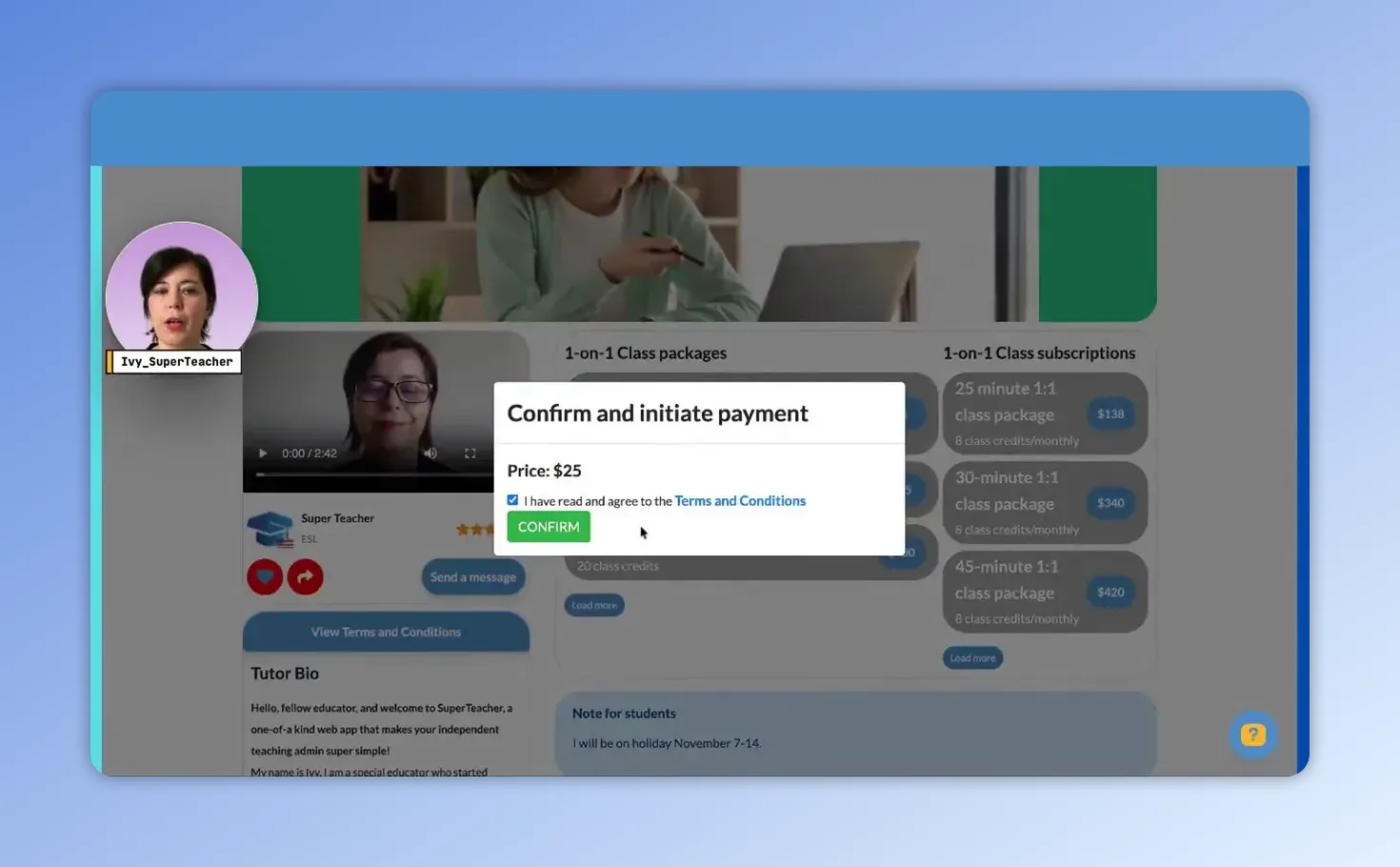
What students see and agree to
When a student proceeds to pay, they are prompted to confirm they’ve read and accepted your policies by checking a box that states:
“I have read and agreed to the terms and conditions.”
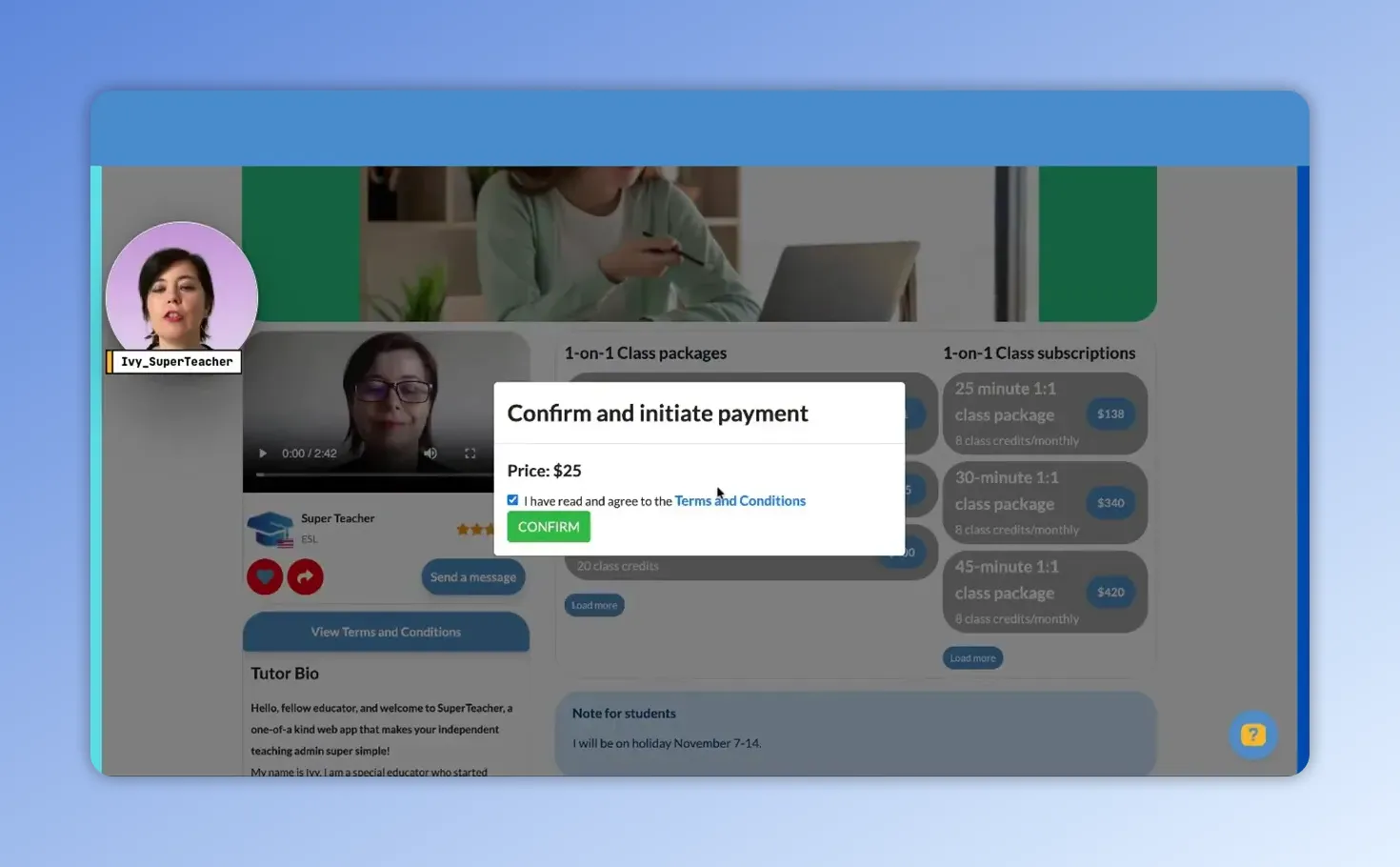
This step makes your policies enforceable within the booking flow and ensures expectations are clear up front.
Tips for customizing EduTerms
- Keep it simple at first. Generate the default version to get a complete template, then refine language that reflects your teaching style.
- Be specific where it counts. Clarify cancellation penalties, credit expiration, and equipment requirements to avoid common disputes.
- Match policy length to your offerings. Private lessons may need stricter rules than group classes or subscriptions.
- Save copies offline. Download a PDF or DOC for your records and include them in client welcome emails if desired.
Why this small step grows your business
Clear policies do more than protect you legally. They:
- Set expectations so students know how booking, cancellations, and refunds work.
- Build trust by demonstrating professionalism and consistency.
- Save time by reducing back-and-forth about logistical questions.
Final note
Professional, consistent terms help you run a smoother teaching business and present the confident image every educator deserves. With EduTerms you can create, customize, and publish classroom policies in roughly 60 seconds—giving your practice a solid foundation without legal drama or hours of drafting.
Try EduTerms and give your teaching business the clear policies it needs to thrive.
Sign up with SuperTeacher |
|
Register for free, pick the right plan later |
| Sign up |